> For the complete documentation index, see [llms.txt](https://helpfastcons.fastwork.vn/llms.txt). Markdown versions of documentation pages are available by appending `.md` to page URLs; this page is available as [Markdown](https://helpfastcons.fastwork.vn/huong-dan-module-khac/module-crm/quan-ly-bao-gia-quote/giao-dien-nguoi-dung/cach-duyet-bao-gia.md).
# Cách duyệt báo giá
Việc duyệt một bảng giá là các để quản lý xác định bảng giá đó có đáp ứng tiêu chuẩn hay không để gửi thông báo báo giá cho khách hàng
Để thao tác chúng ta thực hiện như sau:
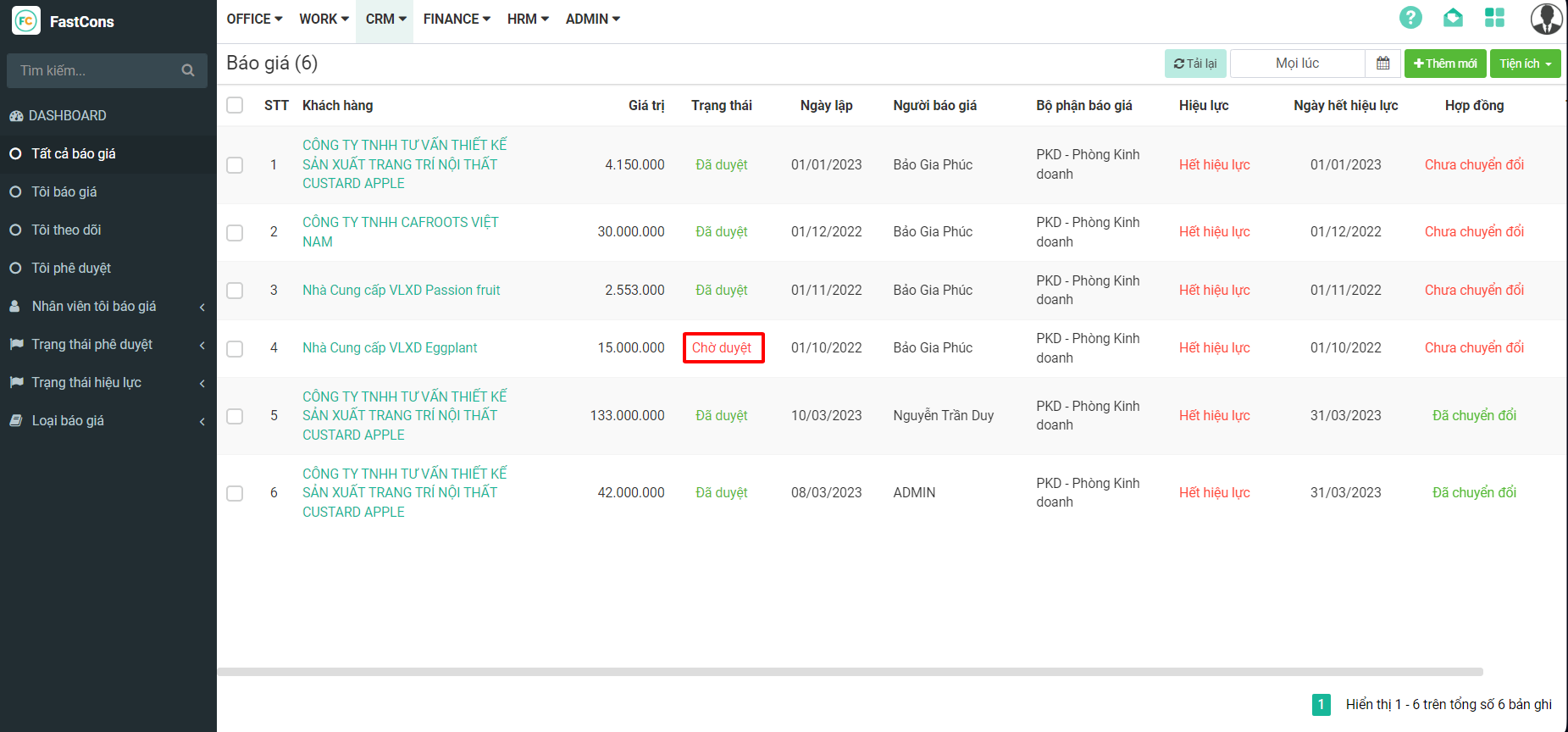
**Bước 1:** Với các tài khoản được phép duyệt báo giá, chúng ta chọn báo giá cần duyệt ⇒ Báo giá cần duyệt là các báo giá đang có trạng thái chờ duyệt
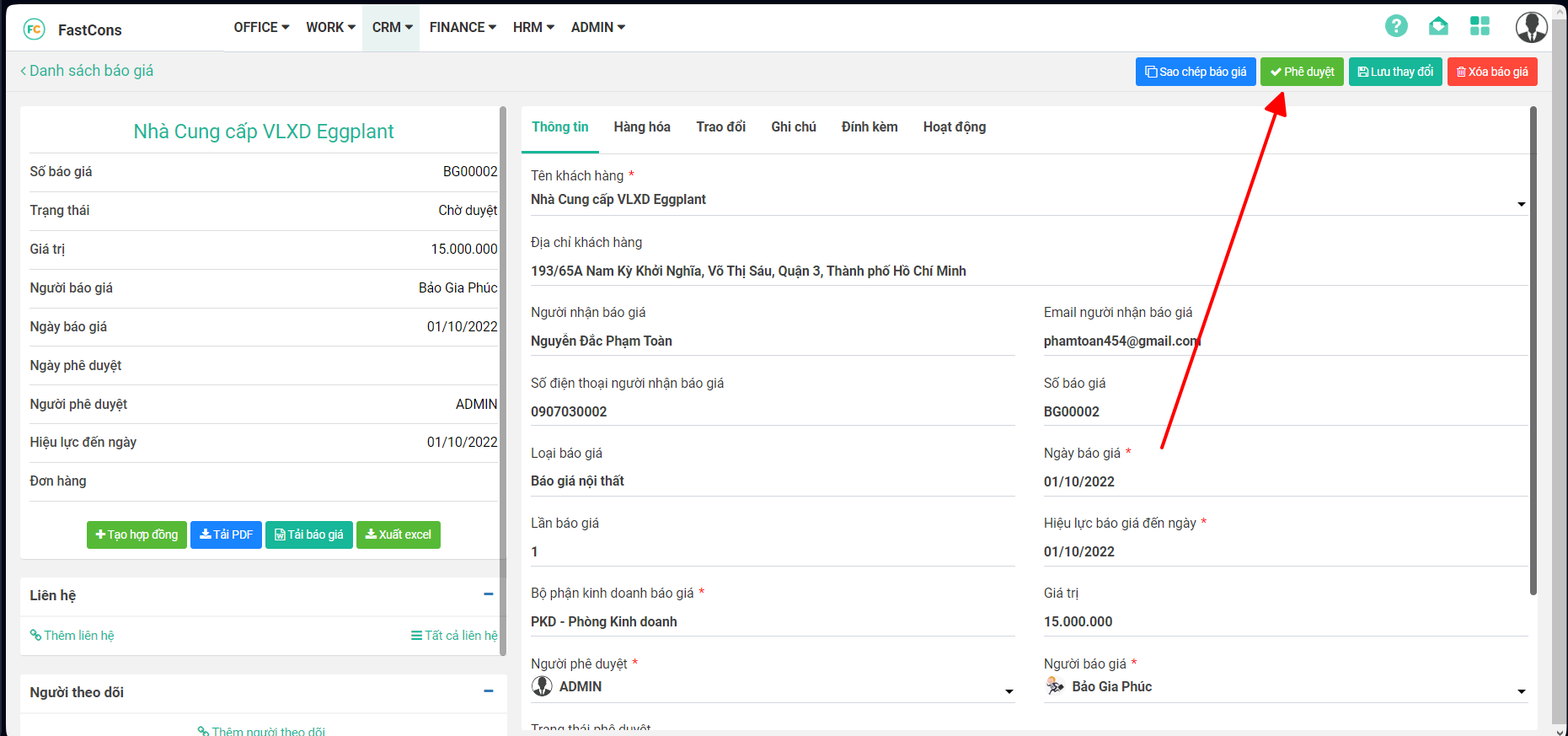
**Bước 2:** Tại giao diện chi tiết báo giá → Chọn **Phê duyệt**