# Phân quyền theo nhóm quyền

●       Phân quyền truy cập nhanh cho một nhóm đối tượng người dùng

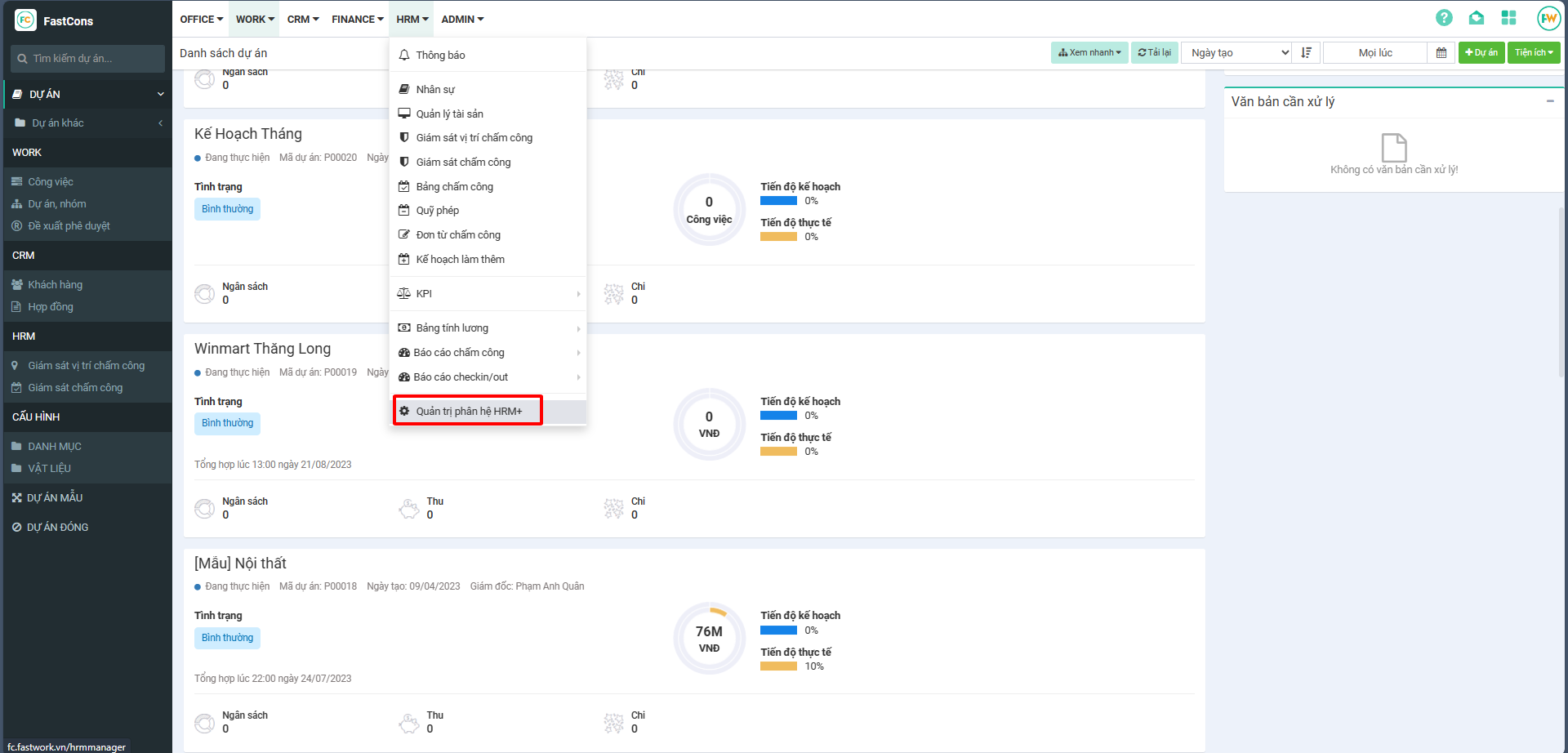
Bước 1: Tại giao diện menu HRM+ → chọn Quản trị phân trị HRM

<figure><img src="/files/S9KOXePvjtt1zWDZk2MB" alt=""><figcaption></figcaption></figure>

Bước 2: Chọn nhóm quyền → Sau đó chọn nhóm quyền cần gán người dùng → Ở tab Người dùng → Chọn Thêm → thực hiện chọn người dùng tương ứng nhấn Lưu để cập nhật cấu hình
<figure><img src="/files/SZDmMNN9EzuyhYUELFN0" alt=""><figcaption></figcaption></figure>

<figure><img src="/files/WmqFzGwgiYkPXDsCBqgy" alt=""><figcaption></figcaption></figure>

<figure><img src="/files/xjmUq5QtDs4a9Wx926Mk" alt=""><figcaption></figcaption></figure>


---

# Agent Instructions: Querying This Documentation

If you need additional information that is not directly available in this page, you can query the documentation dynamically by asking a question.

Perform an HTTP GET request on the current page URL with the `ask` query parameter:

```
GET https://helpfastcons.fastwork.vn/huong-dan-module-khac/module-hrm/admin/phan-quyen-quan-tri-phan-he-hrm+/phan-quyen-theo-nhom-quyen.md?ask=<question>
```

The question should be specific, self-contained, and written in natural language.
The response will contain a direct answer to the question and relevant excerpts and sources from the documentation.

Use this mechanism when the answer is not explicitly present in the current page, you need clarification or additional context, or you want to retrieve related documentation sections.
