> For the complete documentation index, see [llms.txt](https://helpfastcons.fastwork.vn/llms.txt). Markdown versions of documentation pages are available by appending `.md` to page URLs; this page is available as [Markdown](https://helpfastcons.fastwork.vn/huong-dan-module-khac/module-office/van-ban-di-den/them-moi-loai-van-ban.md).
# Thêm mới loại văn bản
Thực hiện các bước như sau :
Bước 1 : Tại menu phân hệ **OFFICE** --> Chọn **Quản trị phân hệ OFFICE+**
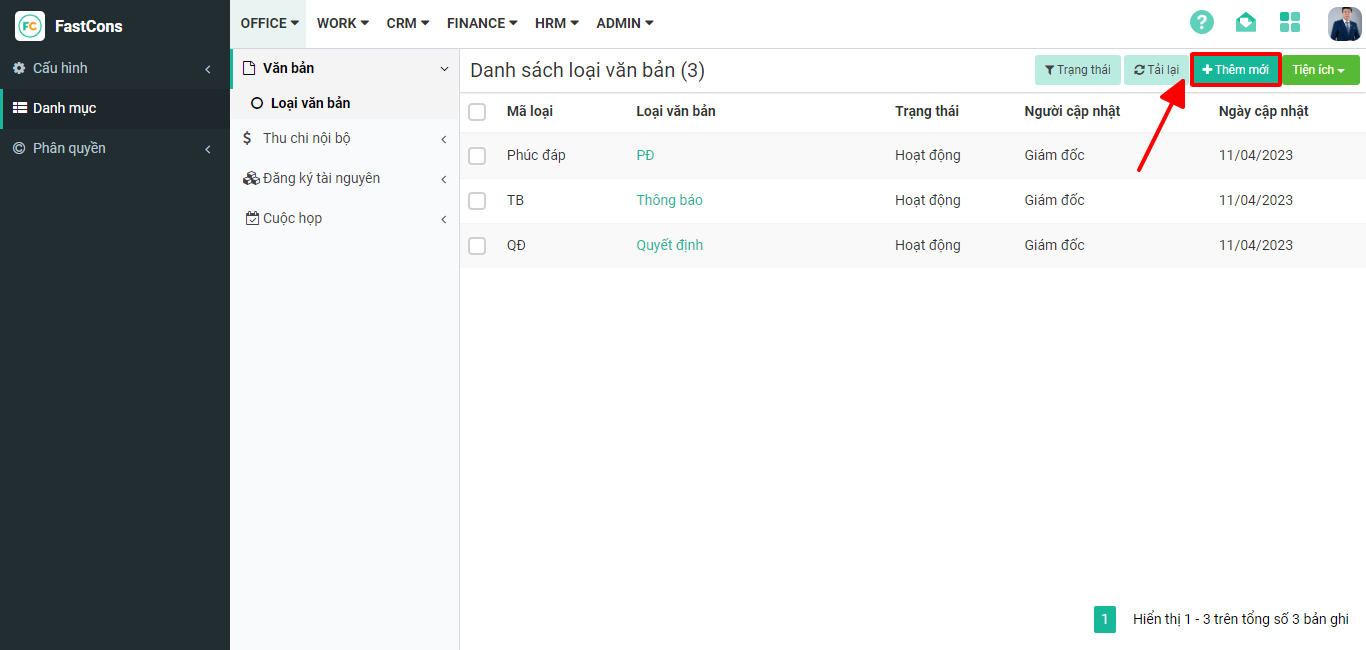
Bước 2 : Tại mục **Danh mục** --> Chọn **Văn bản** --> **Loại văn bản**
Bước 3 : Chọn **Thêm mới** --> điền đầy đủ các mục của văn bản thiết lập --> **Lưu**